

# Civilian Integration

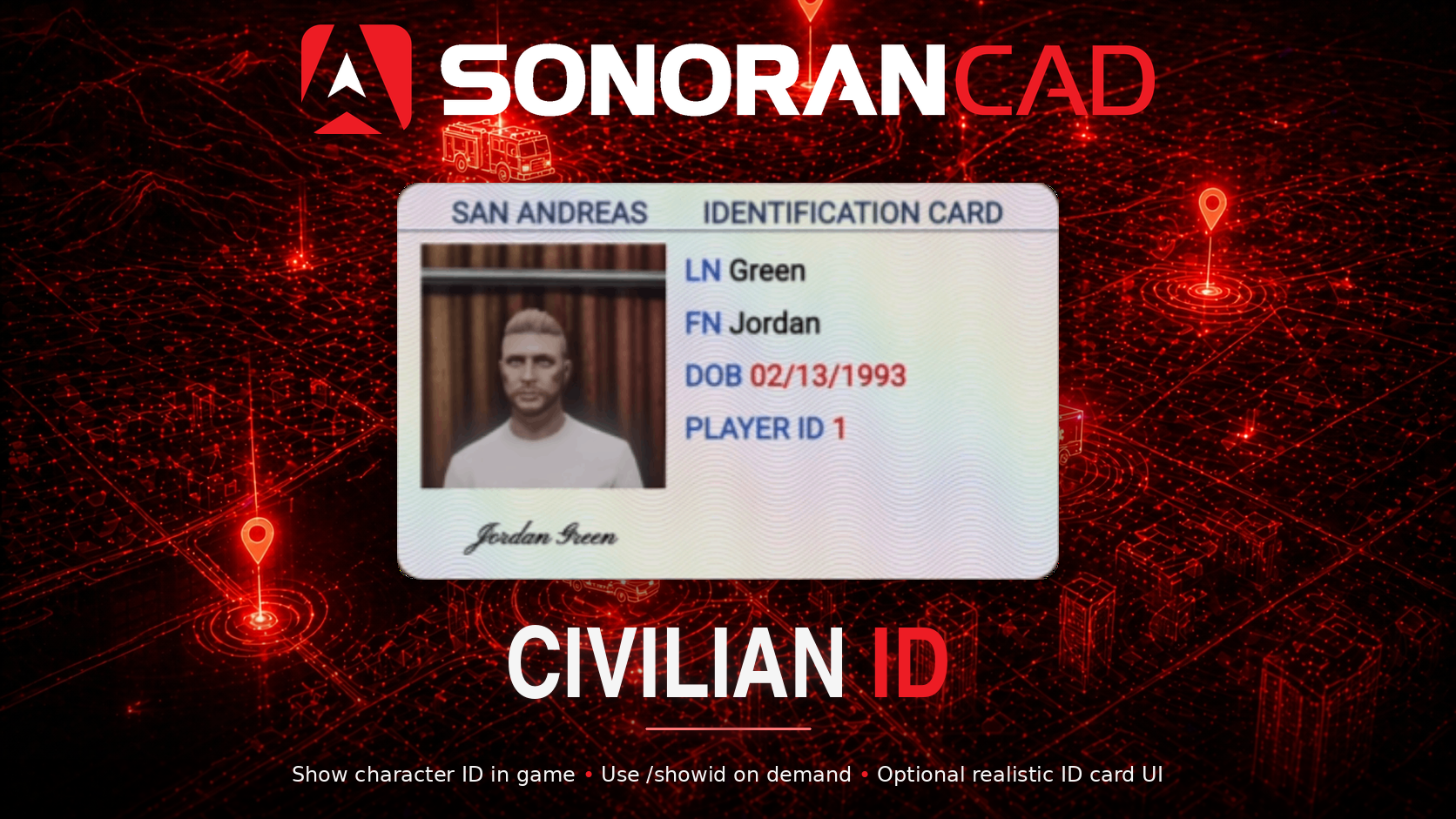
![Sonoran CAD - Civilian Integration Lookup](/files/lpVvA2uzAElkkAloOqAa)

## Activation Guide

### 1. Download and Install the Resource

{% hint style="info" %}
This submodule is already **enabled by default** when installing the [Sonoran CAD FiveM resource](/cad/integration-plugins/in-game-integration/fivem-installation.md).
{% endhint %}

### 2. Adjust the Configuration

The CAD display settings are stored inside of the `/configuration/civintegration_config.lua` file.

### 3. Ensure Players are Linked

Ensure the player has already [linked their CAD](/cad/integration-plugins/in-game-integration/link-user-in-game.md) for this integration to work.

## Configuration

<details>

<summary><code>civintegration_config.lua</code></summary>

| Option         | Description                                                                                                                                                                                                                                                                             | Default Value |
| -------------- | --------------------------------------------------------------------------------------------------------------------------------------------------------------------------------------------------------------------------------------------------------------------------------------- | ------------- |
| cacheTime      | Time to cache characters in seconds                                                                                                                                                                                                                                                     | 3600          |
| allowCustomIds | Allow players to use /setid to set a custom name.                                                                                                                                                                                                                                       | true          |
| allowPurge     | Allow players to use /refreshid to "purge" their character list from cache.                                                                                                                                                                                                             | true          |
| enableIDCardUI | <p><strong>Recommended</strong>: Allows for a more realistic identification ui with /showid<br><br><strong>IF USING:</strong> Please ensure you start the resource <code>sonoran\_idcard</code> <strong>BEFORE</strong> <code>sonorancad</code> in your server resource start order</p> | false         |

</details>

## Usage

#### Commands

In-game commands can be used to

* `/civid show` Show the ID of your currently selected character in the CAD to the nearest player.
  * If using the `/civid set` command, it will show your manually configured character info instead of from the CAD.
* `/civid set` Manually enter character information for your ID.
* `/civid reset` Result the manually entered character information for your ID.
* `/civid refresh` Removes the "cached" characters for the client. This allows players to swap characters in the CAD without relogging or waiting for the cache timer.
* `/civid help` Displays a list of commands.

<figure><img src="/files/3NlbiB7npPD4rJf5iroY" alt=""><figcaption></figcaption></figure>

### Export

You can use this export to fetch all characters for a specific player ID. This is a server-side export only.

```lua
Function: "GetCharacters"
Parameters:
    player: the player ID
    callback: function to call after fetching the data. Returns an array of character objects.

Example:
    exports["sonorancad"]:GetCharacters(playerId, function(result)
        -- do stuff with result, an array of character objects
    end)
```

This function can also be used in other submodules (without the export bit).


---

# Agent Instructions: Querying This Documentation

If you need additional information that is not directly available in this page, you can query the documentation dynamically by asking a question.

Perform an HTTP GET request on the current page URL with the `ask` query parameter:

```
GET https://docs.sonoransoftware.com/cad/integration-plugins/in-game-integration/available-plugins/civilian-integration.md?ask=<question>
```

The question should be specific, self-contained, and written in natural language.
The response will contain a direct answer to the question and relevant excerpts and sources from the documentation.

Use this mechanism when the answer is not explicitly present in the current page, you need clarification or additional context, or you want to retrieve related documentation sections.
