

 This submodule:
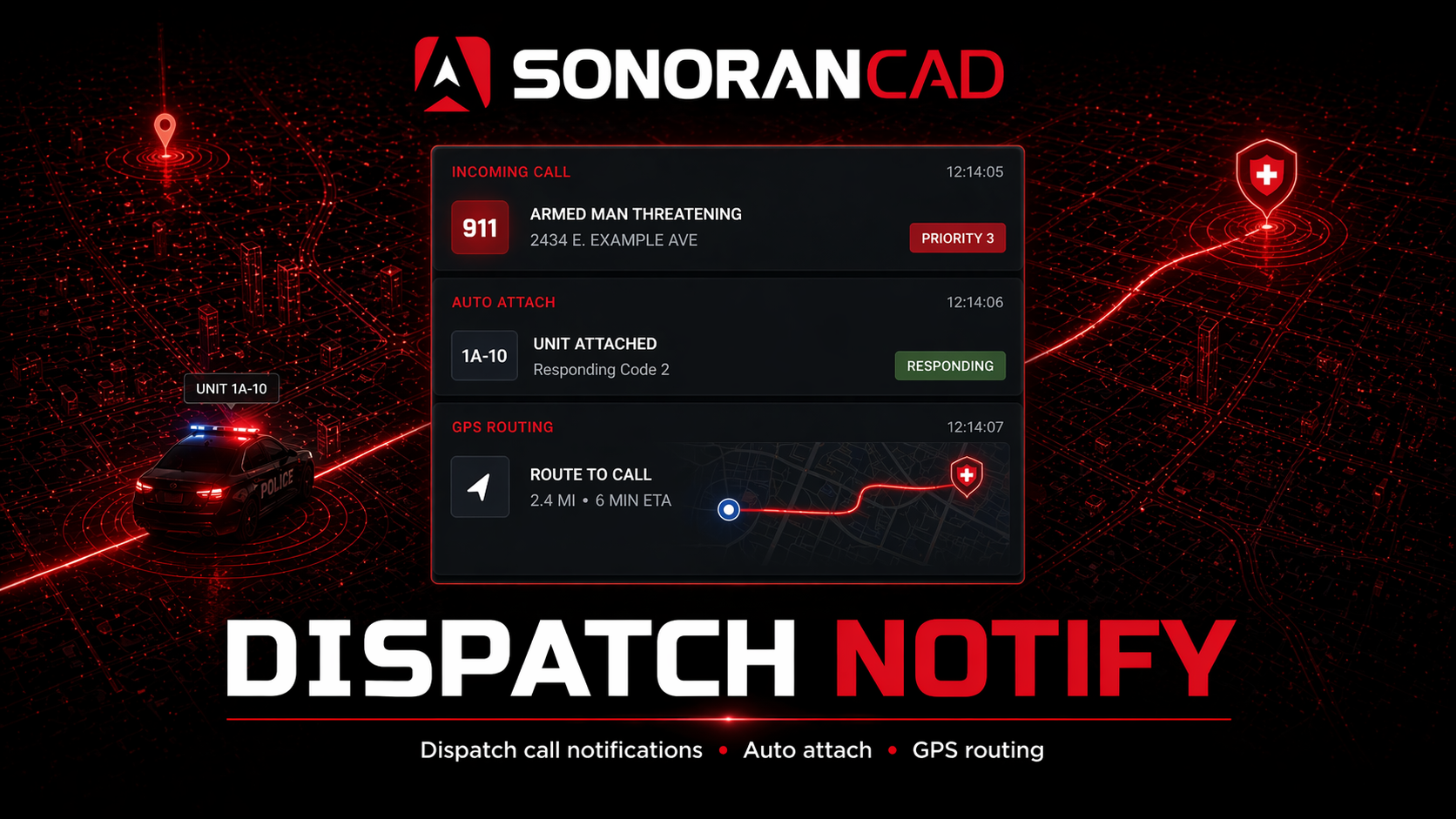
- Notifies officers of incoming calls
- Allows officers to attach to calls via command
- Automatically routes attached units to the postal code
- Unit GPS routing is updated whenever the dispatch postal is updated
- Allows the call postal and GPS routing to be automatically updated to the primary unit’s location
- Notifies the civilian making the emergency call when an officer is en-route.
Activation Guide
- Download and Install the Resource
This submodule is already enabled by default when installing the Sonoran CAD FiveM resource.
The locations submodule includes required logic to send location data and is already enabled by default. Keep this submodule enabled to maintain functionality.
The call commands submodule includes required logic to create emergency calls and is already enabled by default. Keep this submodule enabled to maintain functionality.
The postals submodule is optional and also enabled by default. Keep this submodule enabled if you wish to include postal code information with emergency calls.
The locations submodule includes required logic to send location data and is already enabled by default. Keep this submodule enabled to maintain functionality.
The call commands submodule includes required logic to create emergency calls and is already enabled by default. Keep this submodule enabled to maintain functionality.
The postals submodule is optional and also enabled by default. Keep this submodule enabled if you wish to include postal code information with emergency calls.
- Adjust the Configuration
The CAD display settings are stored inside of the /configuration/dispatchnotify_config.lua file.
- Ensure Players are Linked
Ensure the players have already linked their CAD for this integration to work.
Configuration
Review thedispatchnotify_config.lua file to configure the submodule to behave how you like. The file is well documented. Please review all the settings!
Notifications are handled by the Sonoran CAD core. See Core Configuration for settings and supported values.
dispatchnotifyconfig.lua
dispatchnotifyconfig.lua
ACE Permissions
This submodule uses two separate, configurable ACE checks:sonorancad.dispatchnotifyis the fixed node used whenunitDutyMethod = "permissions"; it marks players with this ACE as on duty for notification logic. The shippedunitDutyMethoddefault is"incad", so this ACE mode is opt-in.sonorancad.dispatchnotify.toggleis the shipped default forunitNotifyToggleAce. WhenenableUnitNotifyToggleCommandis enabled (the default) and this value is not blank, it controls who may use the default/dn notifyoverride. SetunitNotifyToggleAceto""to allow anyone to use that override, or replace it with another ACE name.
/dn command is not itself registered as an ACE-restricted command; these nodes gate the duty-detection mode and the notification-toggle branch described above.
Commands
In-game commands can be used to/dn respond [id] Respond/Attach to the newly created dispatch call ID/dn notify [on/off/auto]- Toggle chat alerts on, off, or auto (using the configuration file’s default)/dn note [text]Add a note to the current dispatch call/dn plateAdds your currently locked license plate number as a note from the Wraith ALPR submodule/dn gpsToggles on/off automatic GPS routing to the call’s postal code

Dispatch Call Responding
- Civilian Places a 911 Call
This call can be placed from the Civilian menu of the CAD, or via the /911 command in-game, supplied by the callcommands submodule.
- Officer Attaches to the Call
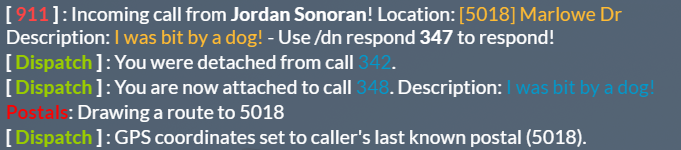
The unit will see a notification message of the incoming call, complete with the command to run in order to attach.
Primary Unit Tracking (Pursuit)
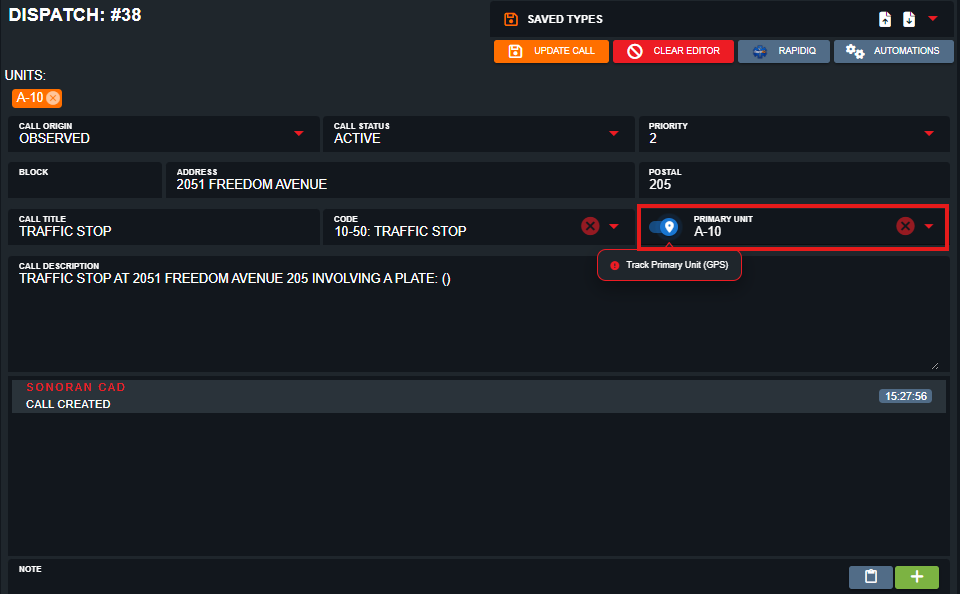
Dispatch notify can also be used to track the primary unit on a call. This will automatically update the postal code on the dispatch call to the primary unit’s current location. This is highly useful for pursuits, where additional units need to catch up and join the chase.
- Toggle Unit Tracking for the Primary Unit
Dispatchers (or self-dispatch) can set the primary unit to any unit currently attached to the call. The slider next to the Primary Unit box will toggle tracking mode. When enabled, the postal will automatically update based on the primary unit’s location and be sent to all attached units.
Troubleshooting
- No notifications for 911 calls
- Units must be logged into the CAD (by default) or meeting the requirements depending on how the submodule is configured.
- Check your notification settings in Core Configuration.
- Units do not automatically attach to calls
- Ensure the players have already linked their CAD for this integration to work.
- Caller is not notified when units attach to the call
- If the caller ever leaves the server and rejoins, this feature does not work.
- If dispatch created the call within the CAD, there is no way to notify a caller.
- Ensure you are not overriding the 911 command (default
/911) with another resource.